Business Web Research
Last updated: July 9, 2025
Overview
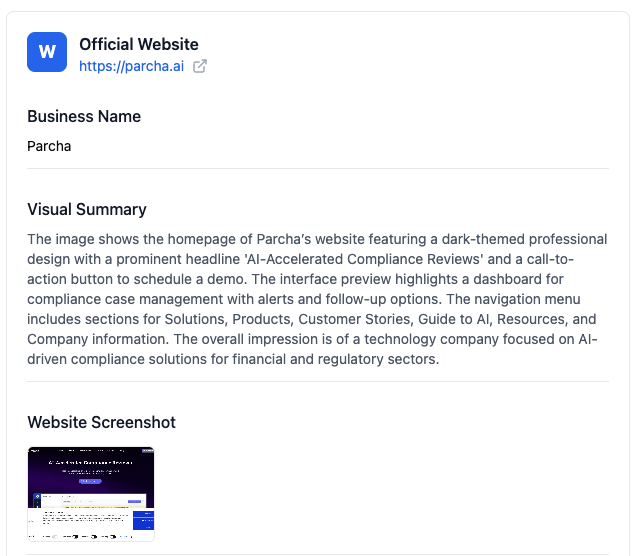
The Web Presence Verification check analyzes and verifies your business's digital footprint and online presence. This check helps confirm that your business has a legitimate and consistent online presence that matches the information you've provided.
What This Check Does
This check searches the internet to:
Verify your business name and branding consistency
Confirm your business address and contact information
Analyze your website and social media presence
Check for consistent business information across platforms
Assess the legitimacy of your online presence
How to Add This Check
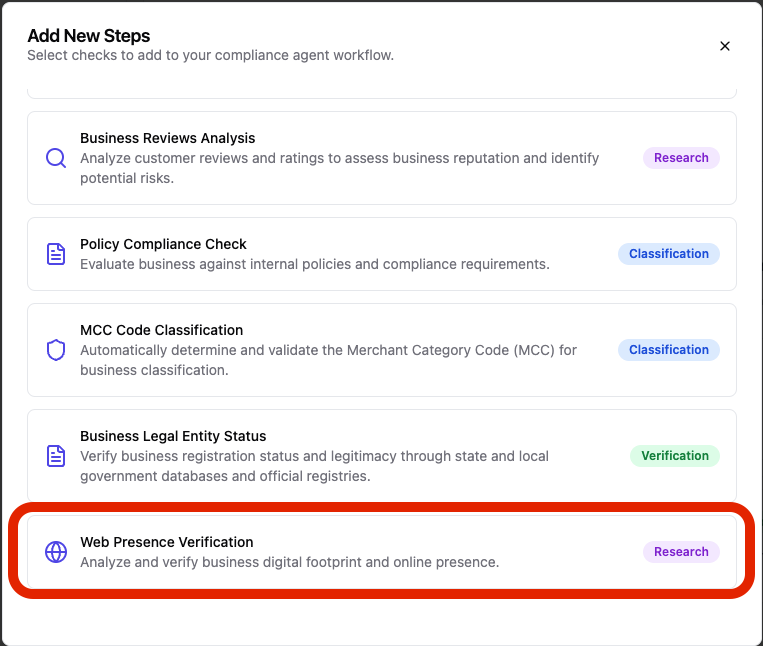
Navigate to your agent configuration page
Click "Add another step" at the bottom of your checks list
Find "Web Presence Verification" in the available checks
Click to add it to your agent workflow
Required Information
Before running this check, ensure you have provided:
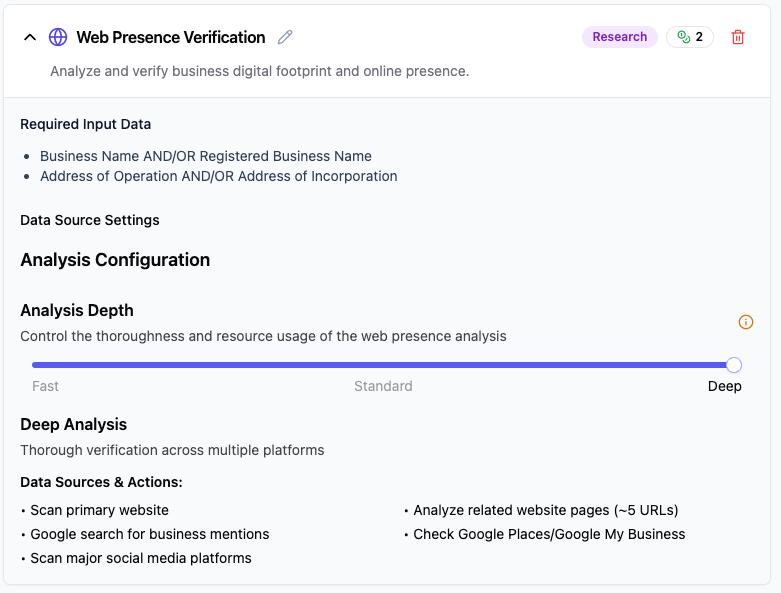
Business Name AND/OR Registered Business Name
Address of Operation AND/OR Address of Incorporation
Configuration Options
Basic Configuration
This check runs automatically with default settings, but you can customize several parameters to adjust the analysis depth and scope.
Search Configuration
Analysis Depth (1-3): Controls how thoroughly the system analyzes your web presence
Level 1 - Quick Overview: Analyzes your main website homepage and primary business listing. Best for basic verification when you have a simple web presence.
Level 2 - Extended Review: Includes additional website pages, social media profiles, and major directory listings. Good for businesses with moderate online presence.
Level 3 - Comprehensive Analysis (recommended): Deep review of website content, multiple social platforms, customer reviews, business directories, and press mentions. Suitable for thorough business verification.
URLs to Analyze: Number of web pages to examine (default: 5, range: 1-20)
Search Results: Number of search results to fetch per query (default: 5, range: 1-50)
Platform Settings
Enable Platform Detection: Automatically discover your business on review and directory platforms
Platforms to Search: Select which platforms to check for your business presence
Google Places (business listings)
Yelp (customer reviews)
TripAdvisor (hospitality reviews)
Better Business Bureau (BBB ratings)
Trustpilot (customer reviews)
Understanding Your Results
Information Retrieved
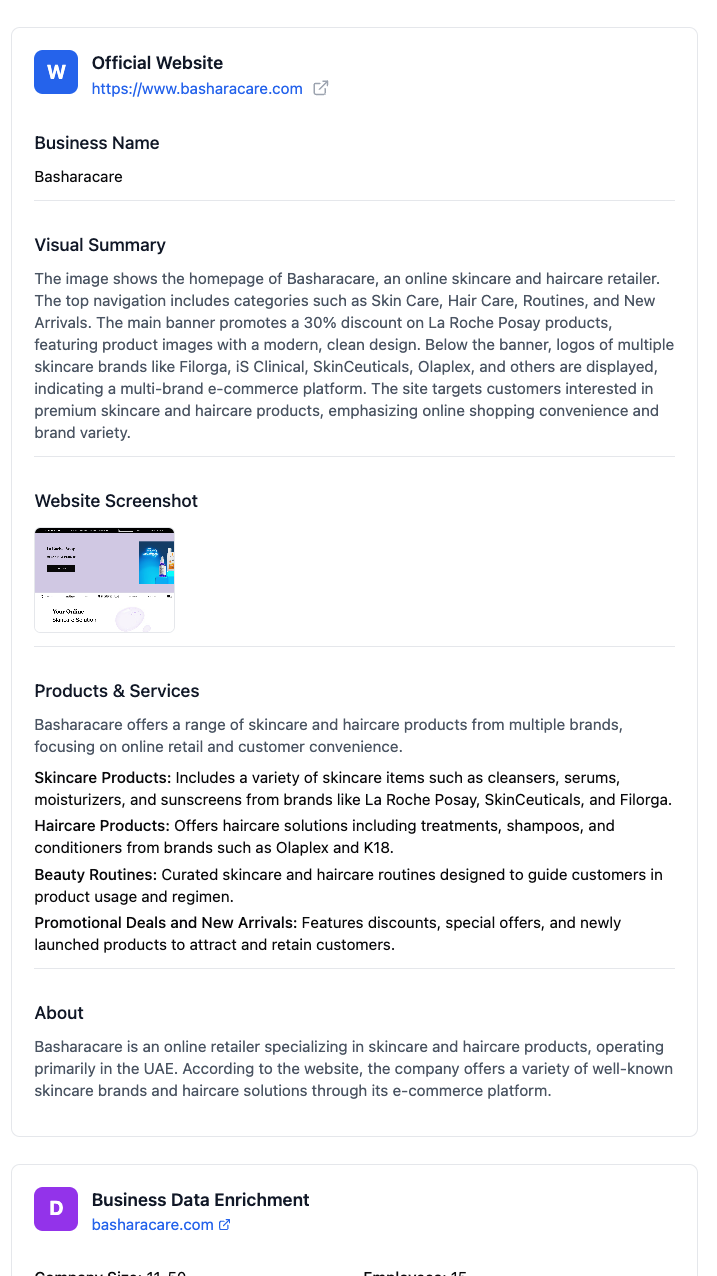
When the check completes, you'll see:
Business Profile Information
Verified business name
Website screenshot
Phone number
Email address
Business description
Products and services
Location details
Employee count
Funding information
Current customers
[Screenshot placeholder: Web Presence Verification results panel showing business profile information]
Verification Status
The results panel shows:
Match Status: How well your provided information matches online findings
Confidence Score: How confident the system is in the verification
Sources: Where the information was found online
Discrepancies: Any inconsistencies that were identified
[Screenshot placeholder: Verification status section in results panel]
Common Issues and Solutions
❌ "No online presence found"
Cause: Your business may not have sufficient web presence or the information provided doesn't match online records.
Solutions:
Ensure your business name exactly matches your registered name
Check that your website is live and accessible
Verify your business is listed in online directories
Consider improving your online presence before running compliance checks
⚠ "Inconsistent information detected"
Cause: The information you provided doesn't match what's found online.
Solutions:
Review the discrepancies shown in the results
Update your provided information to match your actual business details
Ensure your website and online profiles are up to date
Contact support if you believe the findings are incorrect
❌ "Website not accessible"
Cause: Your business website is down or not reachable.
Solutions:
Check that your website is live and accessible
Verify the URL you provided is correct
Ensure there are no technical issues with your website
Contact your web hosting provider if needed
Best Practices
Keep Information Current
Ensure your website information matches your business registration
Update online profiles regularly
Maintain consistent branding across all platforms
Provide Accurate Data
Use your exact legal business name
Ensure addresses match your official registration
Double-check all contact information
Maintain Web Presence
Keep your website active and updated
Maintain business listings in directories
Ensure social media profiles are professional
What Customers See
When this check runs, your customers or partners will see:
A professional verification of your business legitimacy
Confirmation of your online presence and consistency
Detailed business profile information
Trust indicators based on your web presence
[Screenshot placeholder: Customer-facing view of Web Presence Verification results]
Technical Details
Check ID: kyb.web_presence_check
Check Family: Research
Typical Processing Time: 2-5 minutes
Data Sources: Public web data, business directories, social media
Need Help?
If you're experiencing issues with this check:
Review the troubleshooting section above
Contact customer support with your specific case details - support@parcha.ai
Last updated: [Current Date] Related checks: Basic Business Profile, Business Address Verification